Product tour · UI from end-to-end tests
From registration to a live prediction
Multi-party path on a runnable Local Docker stack (Playwright lifecycle): onboard → catalog → contract → train → provenance → deploy/predict → Auditor (Merkle + contract). Azure narrative (Entra, Key Vault, confidential compute): slide deck and CC deep dive. Local path: host Docker training (`TRAINING_EXECUTION_MODE=local-docker`).
Azure product tour deck Azure confidential computing SPIFFE / Workload Identity Azure deck notes
What you will see
Local path (runnable screenshots) · Azure confidential computing (threat model · KMS · Secure Key Release · e2e train)
- Party registration — Training Data Consumer, Training Data Provider, Tech Service Provider (signing key at register)
- Catalog — dataset publish and model selection for training
- Contract — create, notify, and sign by all parties
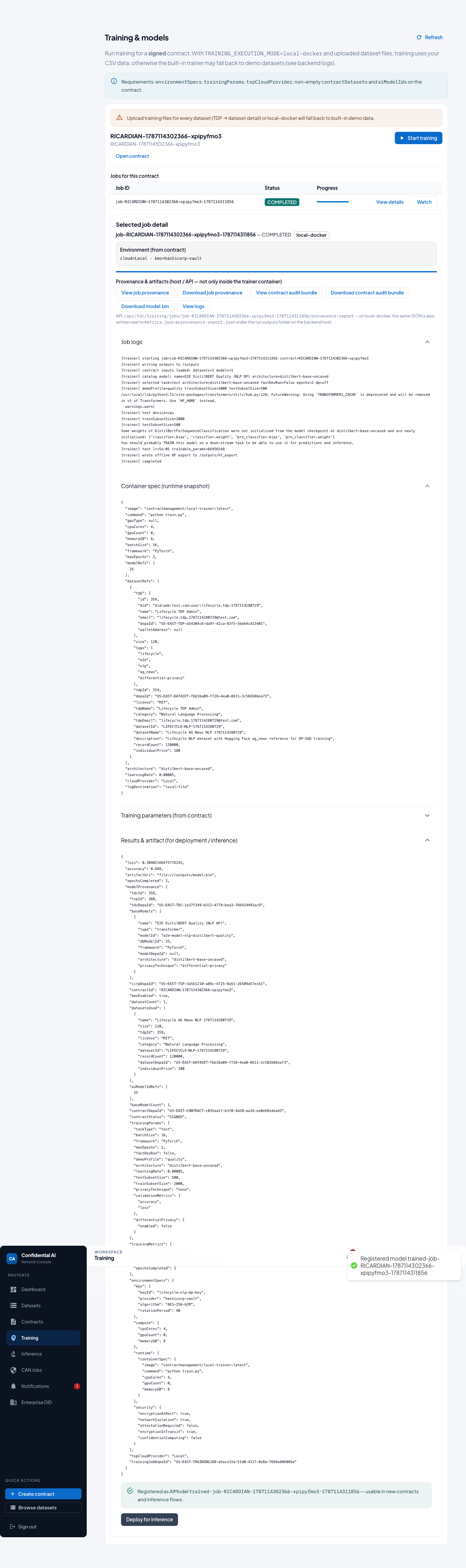
- Training — start job, completion, run logs & provenance
- Deploy & test — register artifact, deploy, run a prediction
- Auditor — Merkle audit tree + contract review
- Open-GMASE — policy gate + CompliancePulse ingest
Canonical long-form text: Lifecycle user guide · Participant onboarding & E2E lifecycle · Azure security architecture.
Local path
Tour captured from a real local run (TRAINING_EXECUTION_MODE=local-docker).
TSP here is the Local clean-room provider.
Screenshots from the Playwright lifecycle guide.
Covers contracts, training UX, provenance, inference, and Auditor review.
For Azure confidential VMs, Key Vault, and Secure Key Release,
see the Azure deep dive.
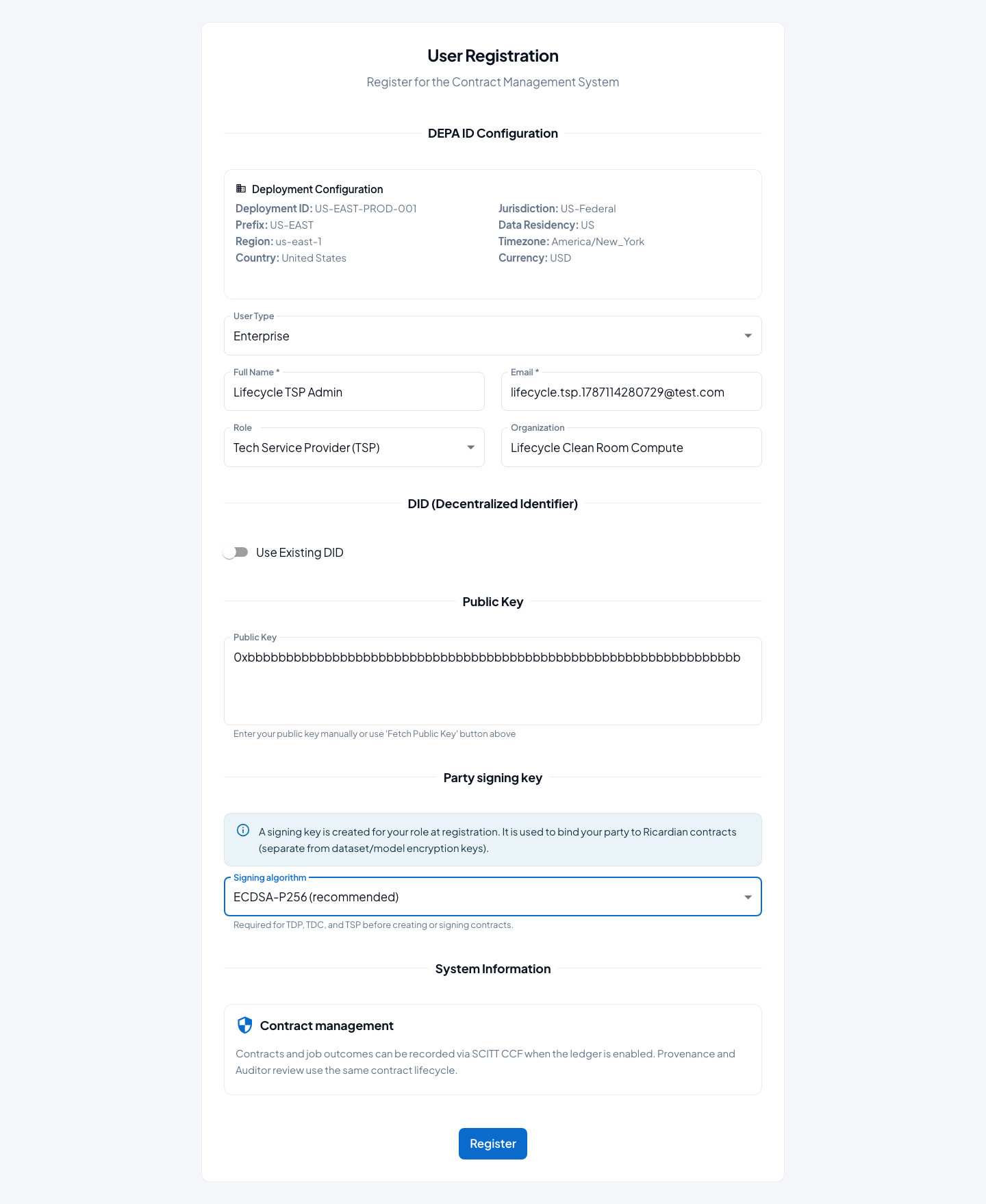
1. Party registration (Local)
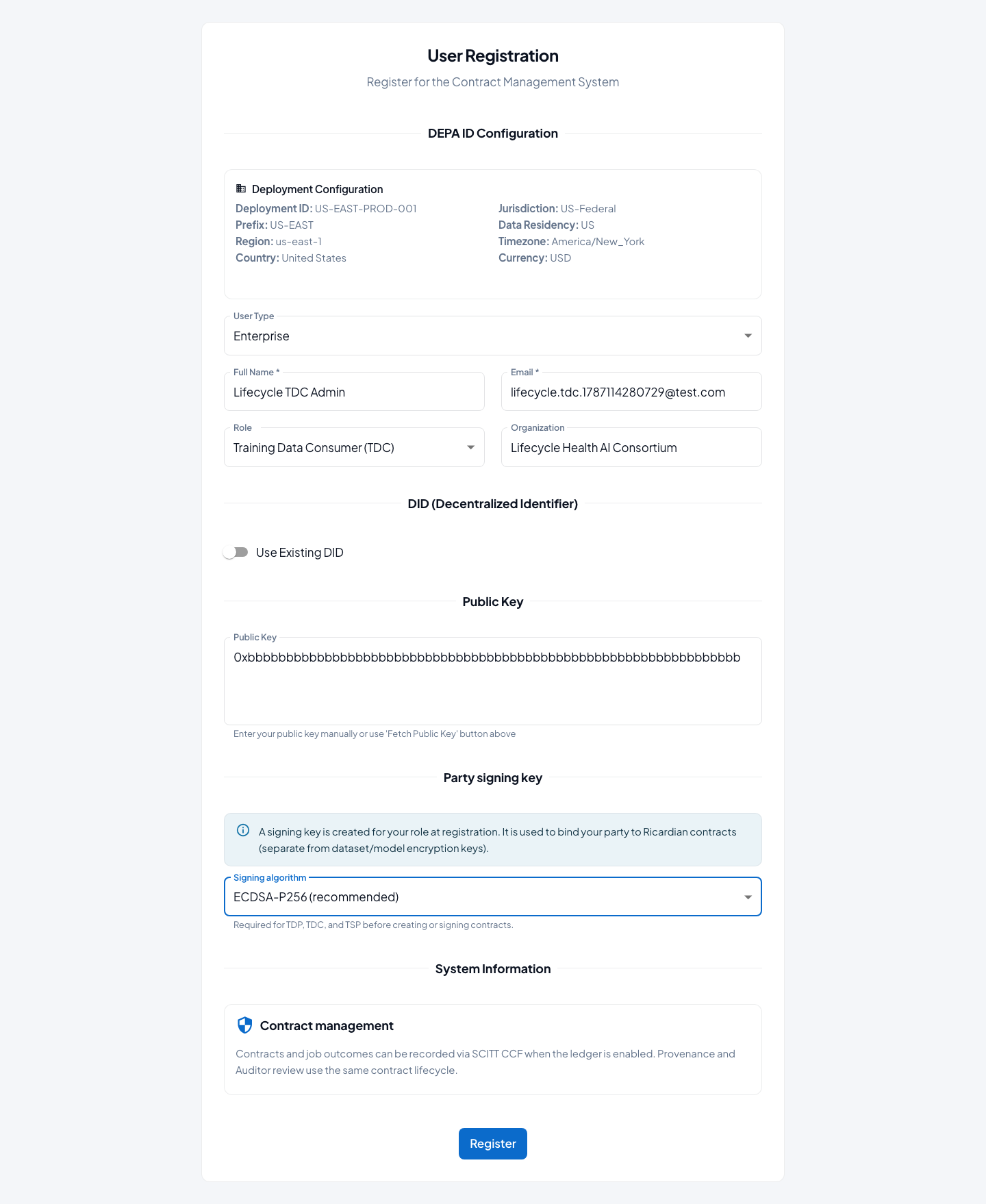
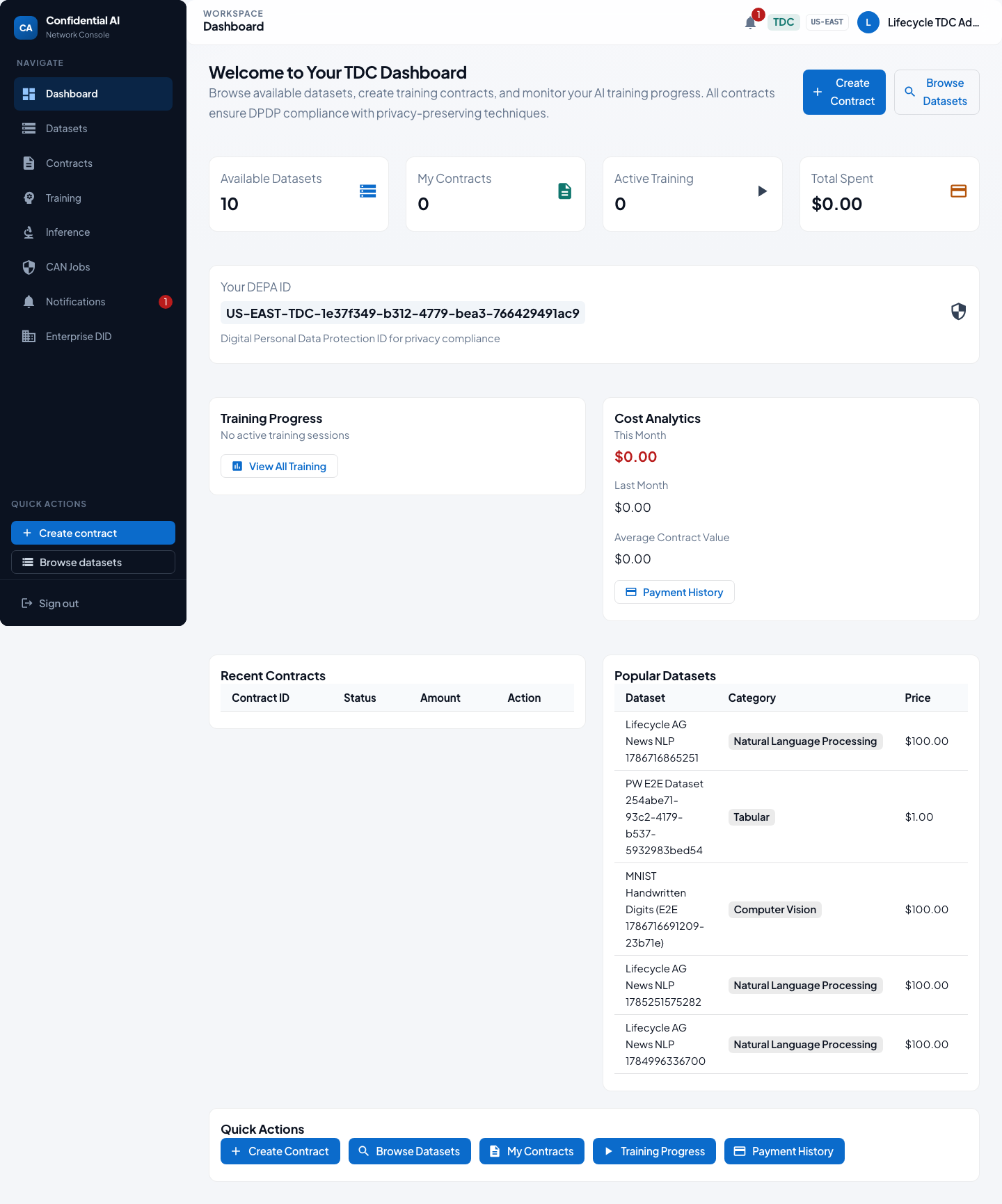
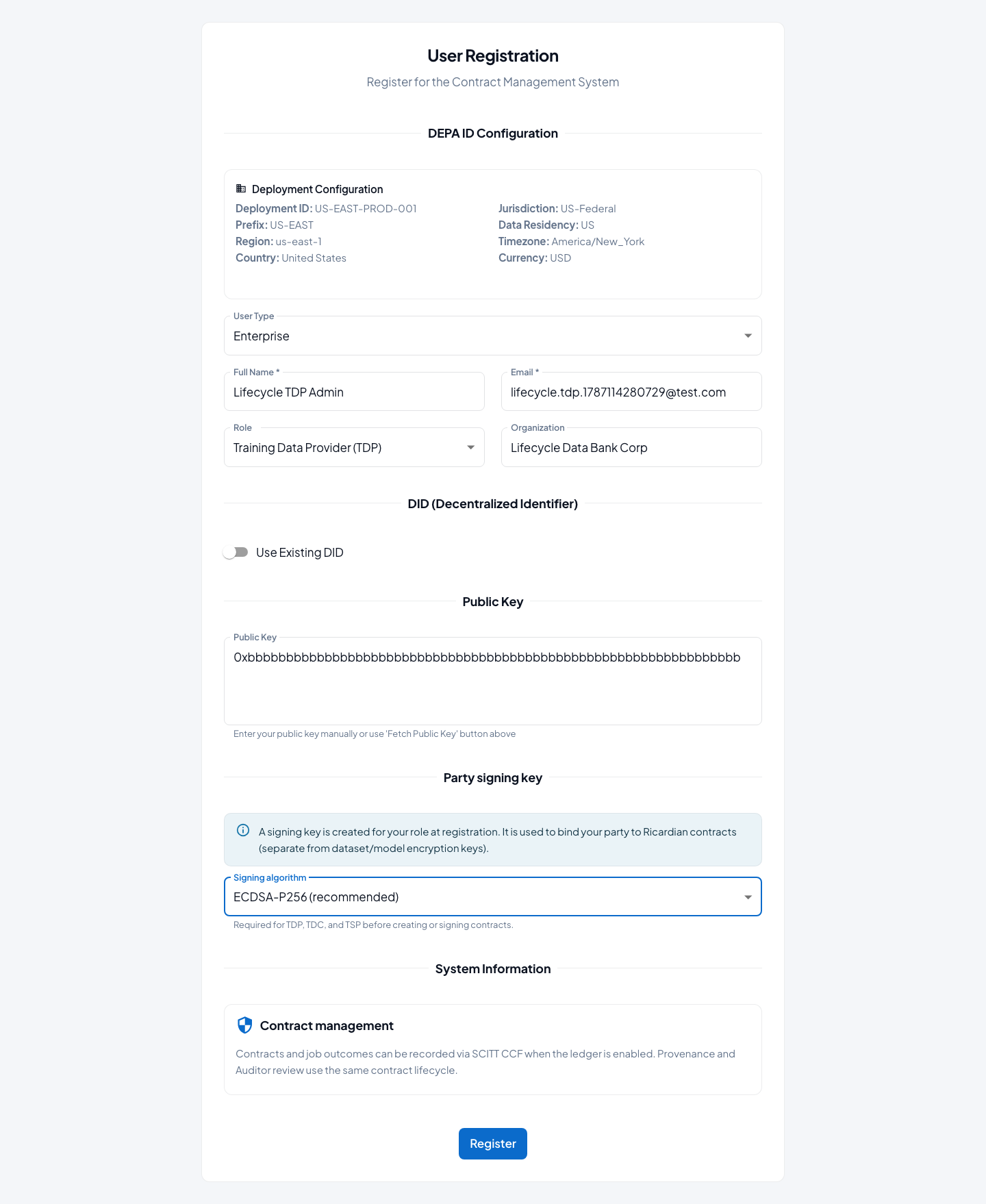
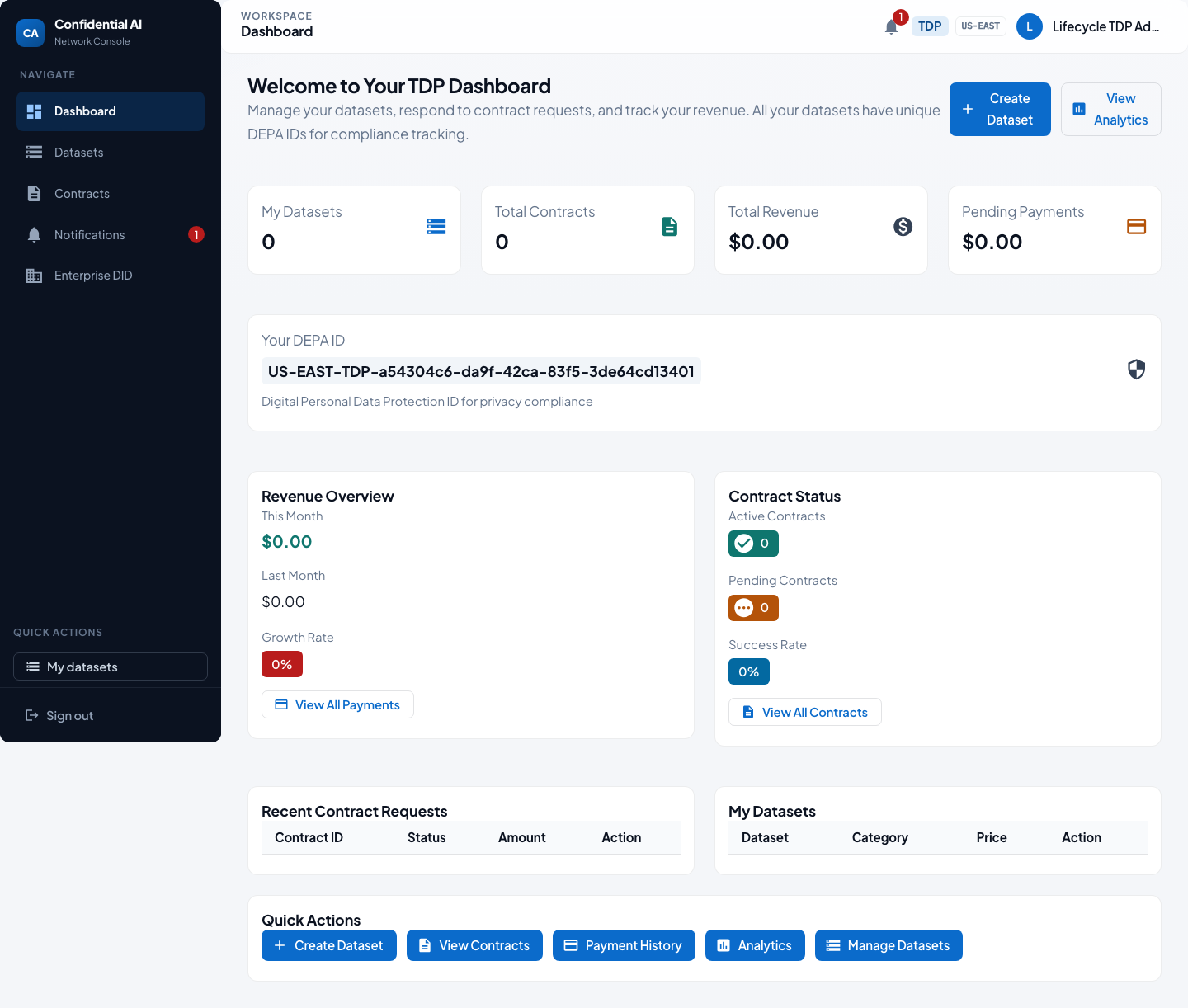
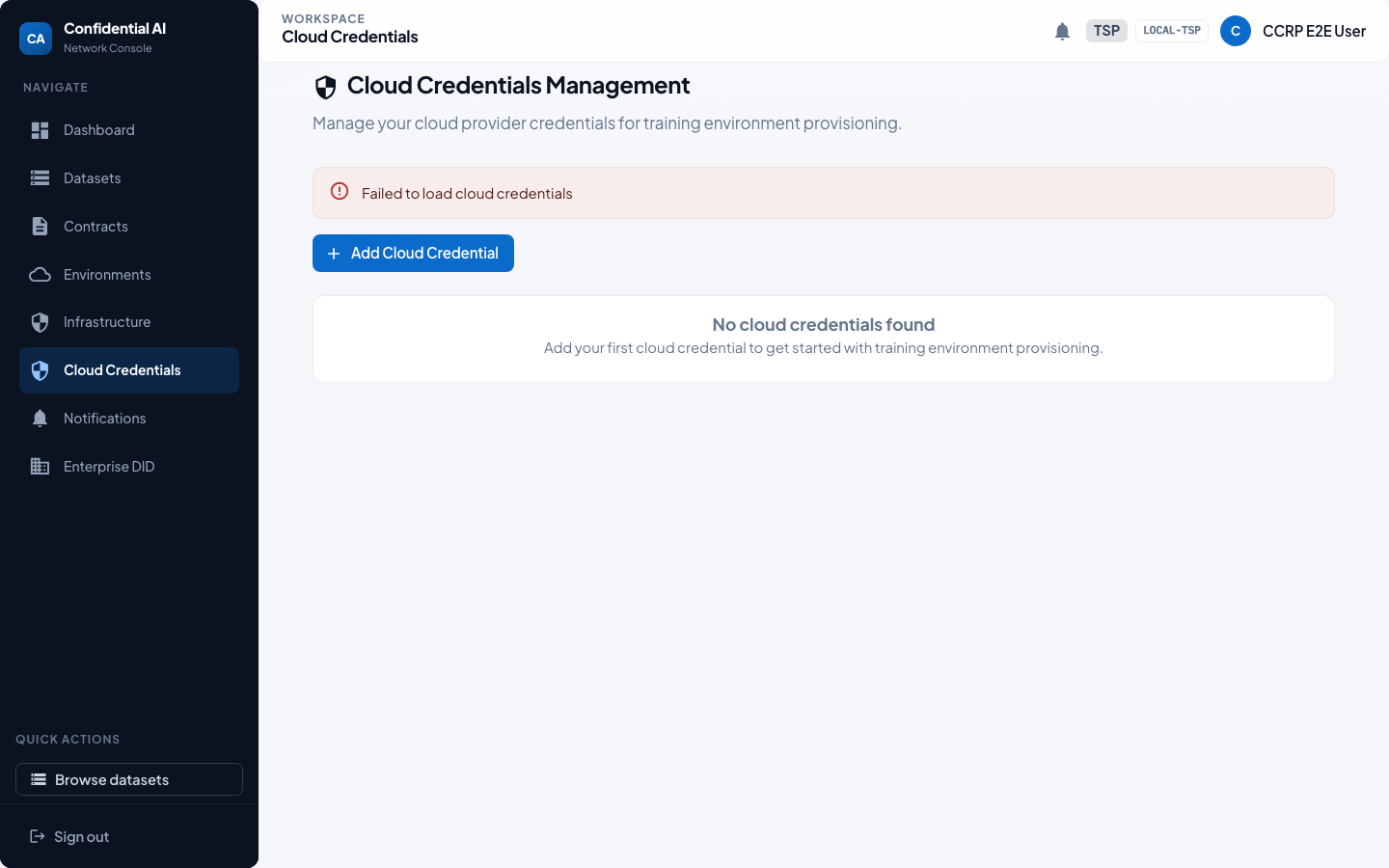
Each party registers as an enterprise organization, chooses a party signing key algorithm, then lands on a role-specific dashboard.
2. Dataset & model catalog (Local)
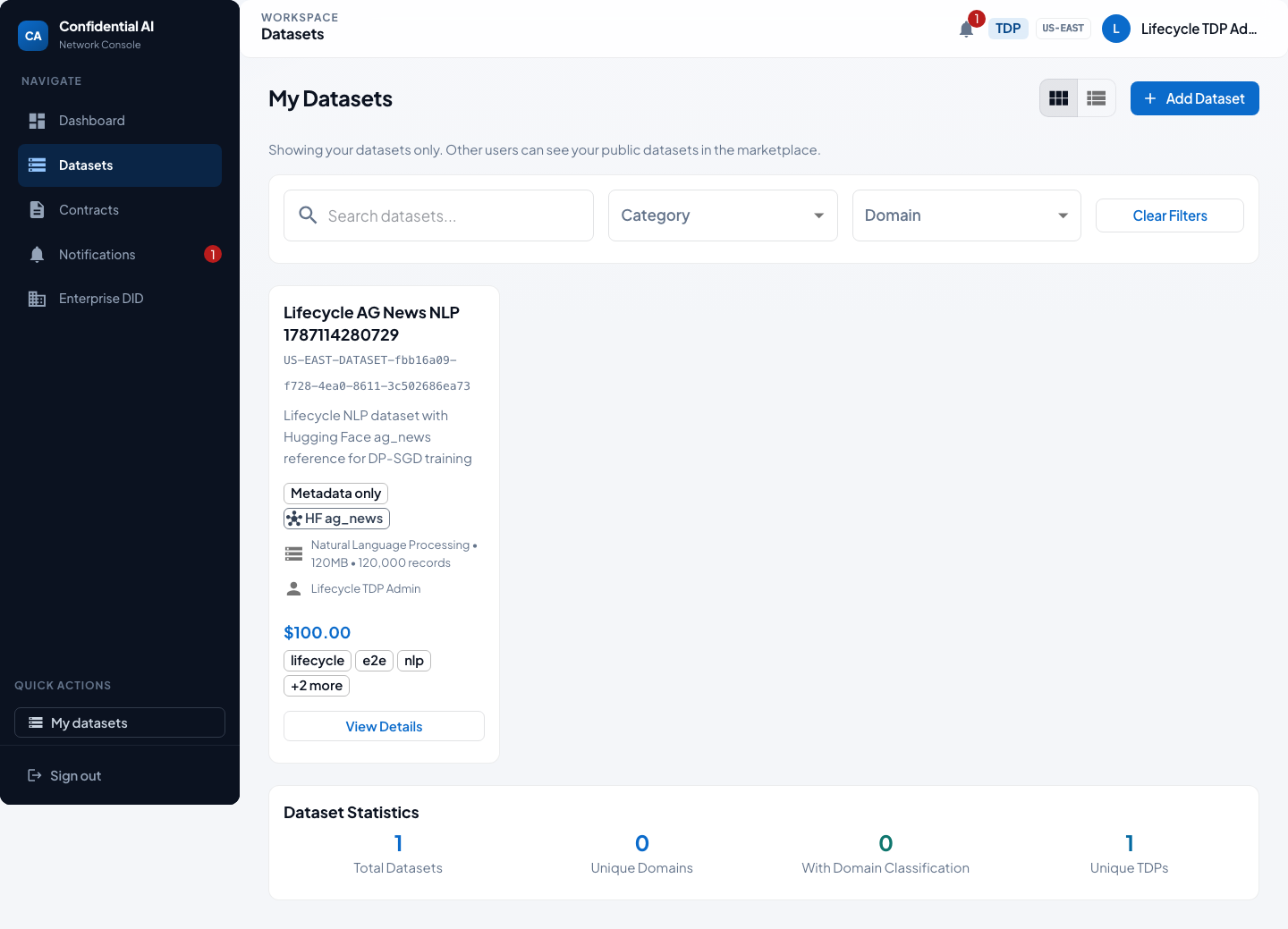
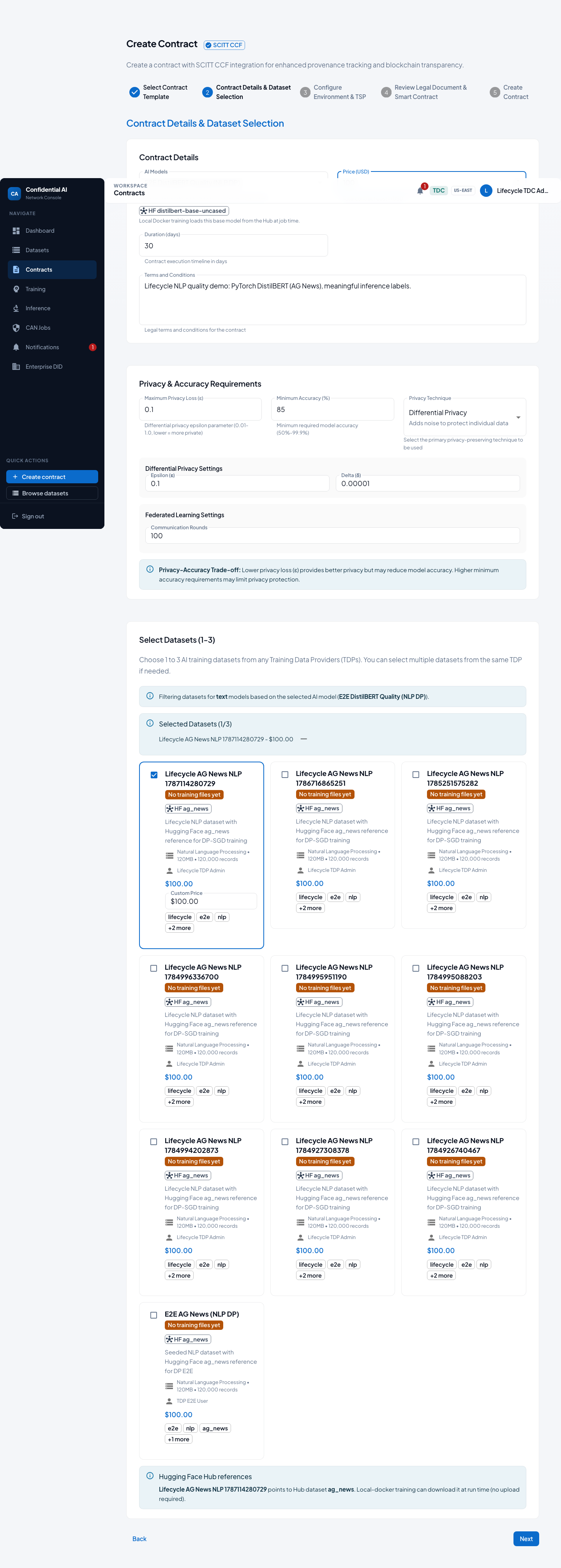
The Training Data Provider publishes a dataset to the catalog. The Training Data Consumer later selects that dataset and a catalog model (here: DistilBERT quality profile) when creating the contract.
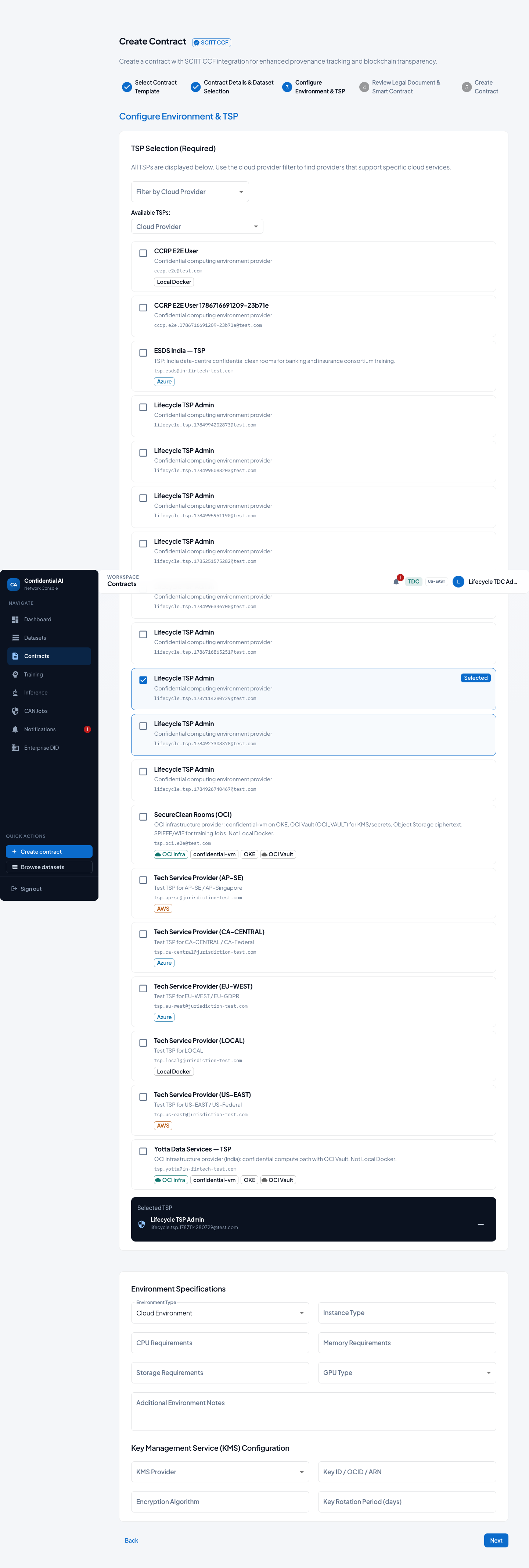
3. Contract creation & signing by all parties (Local)
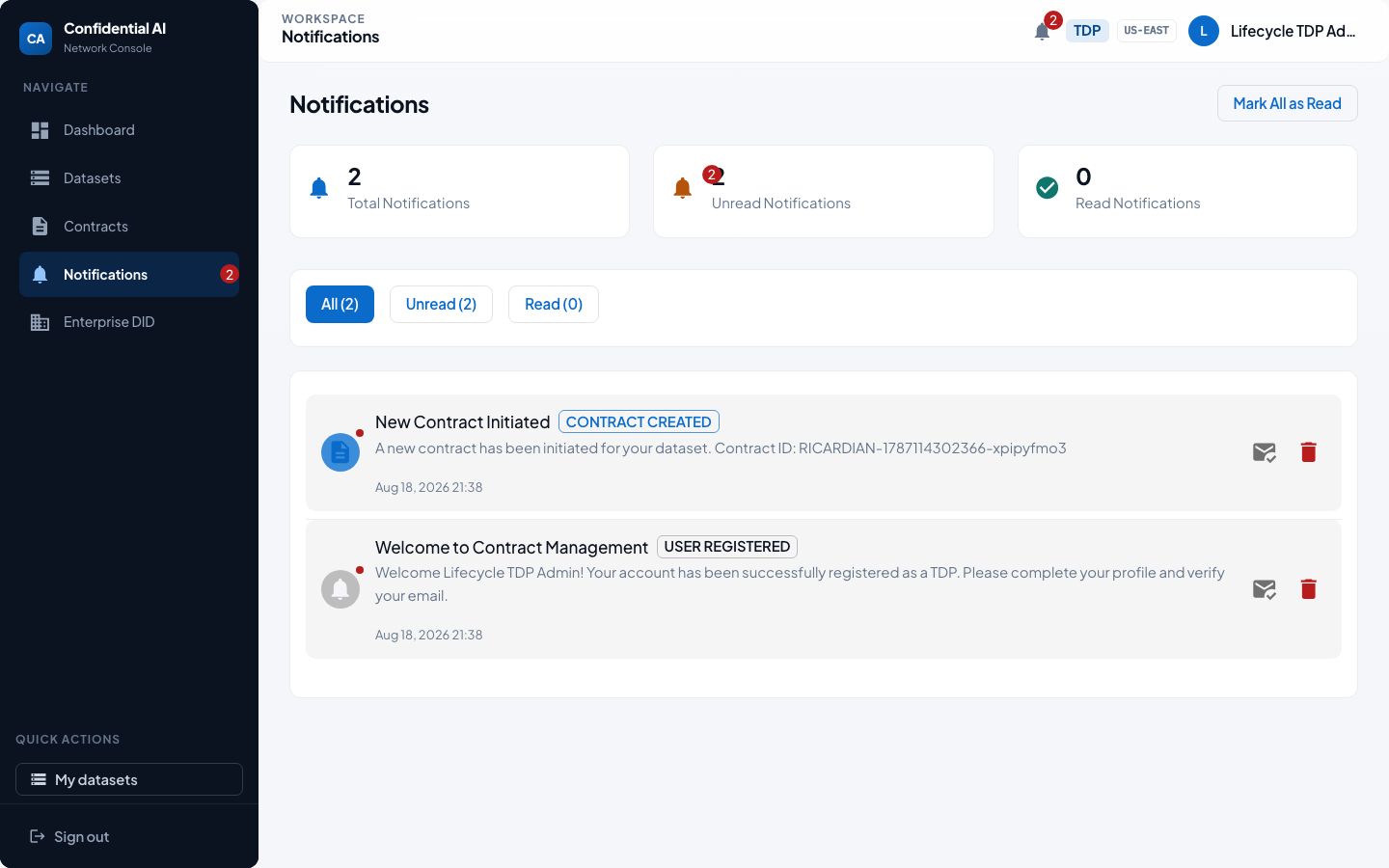
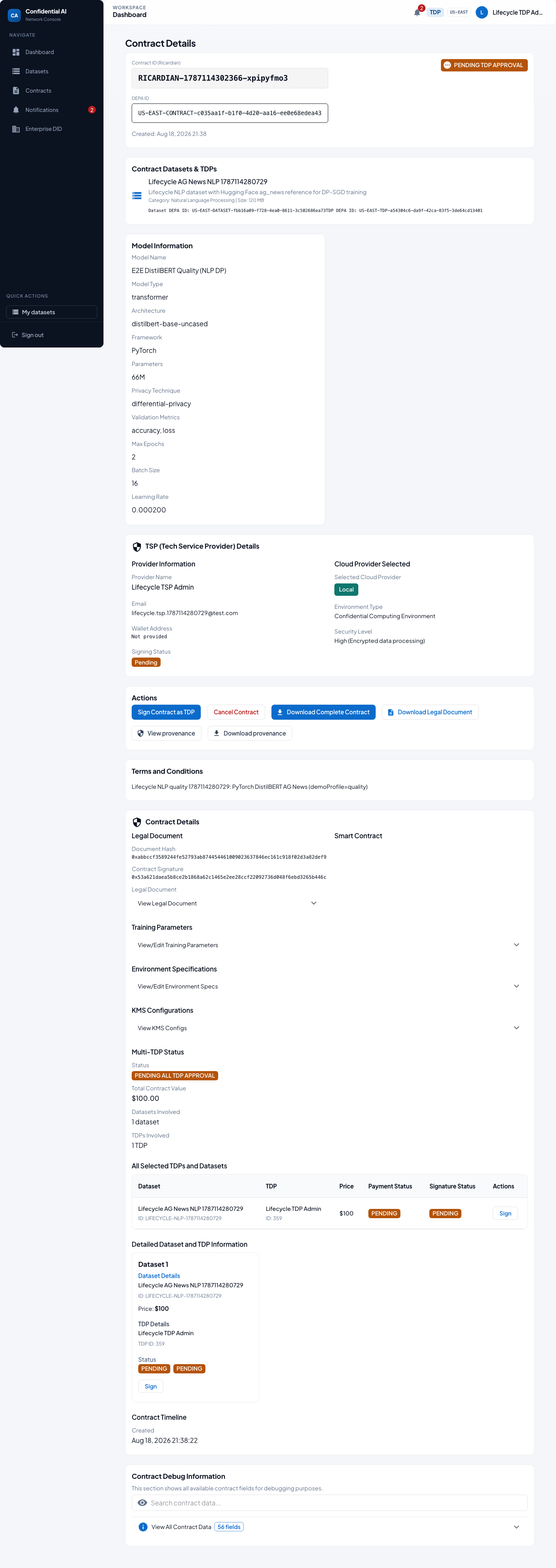
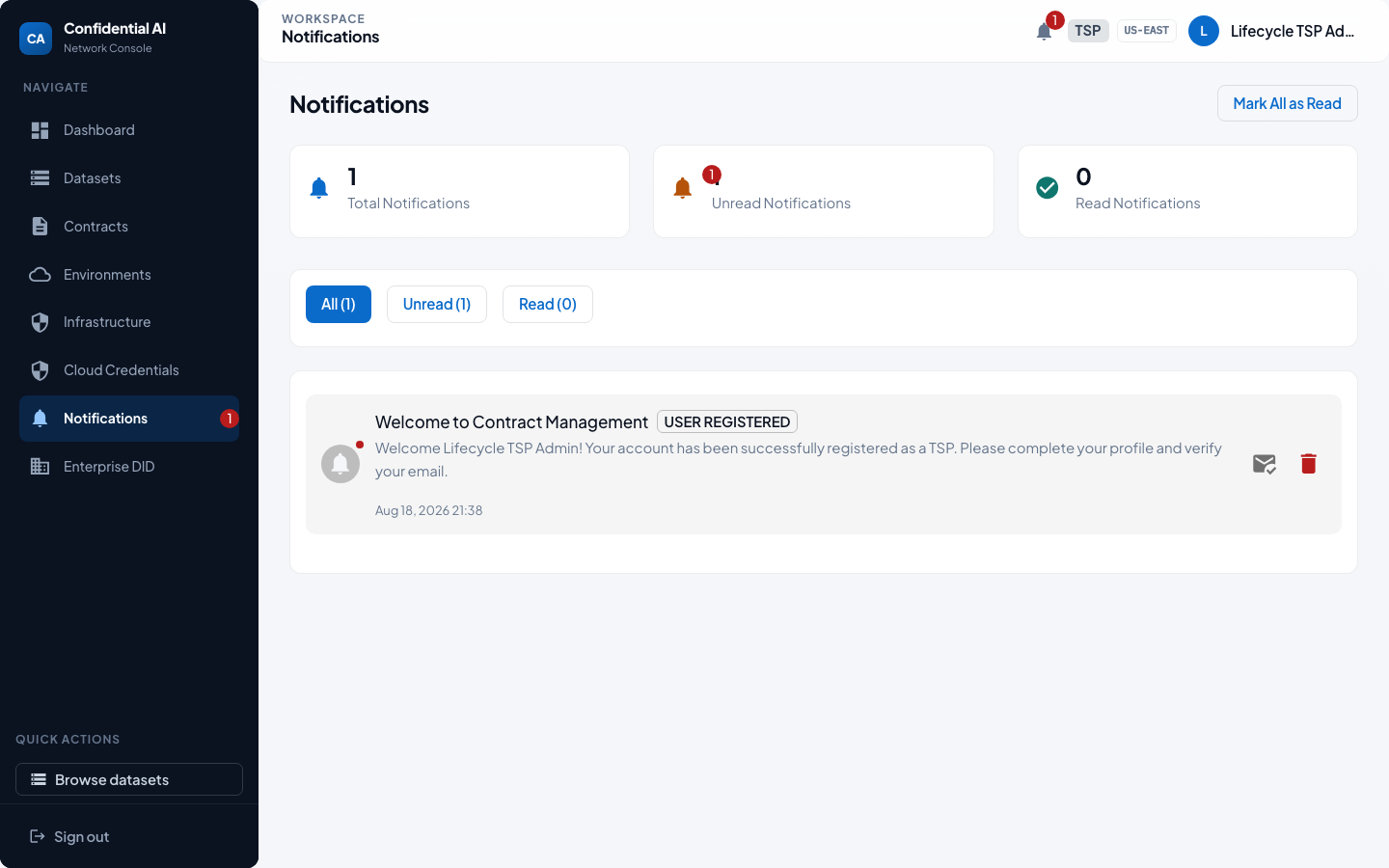
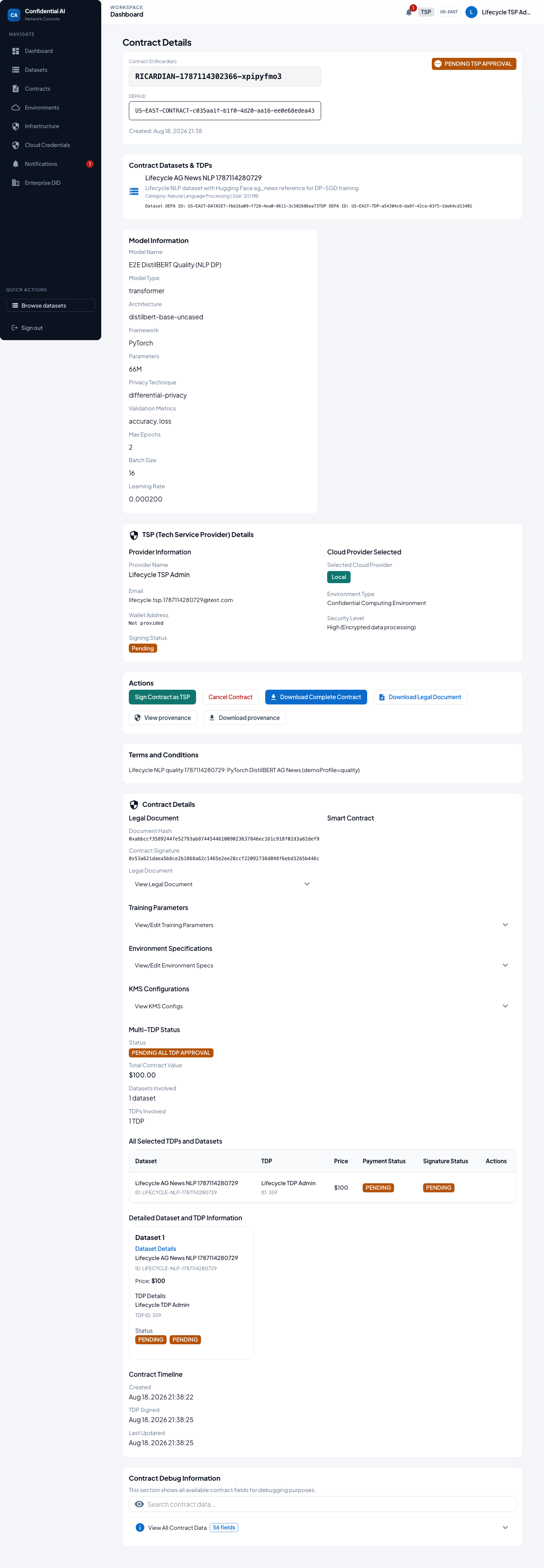
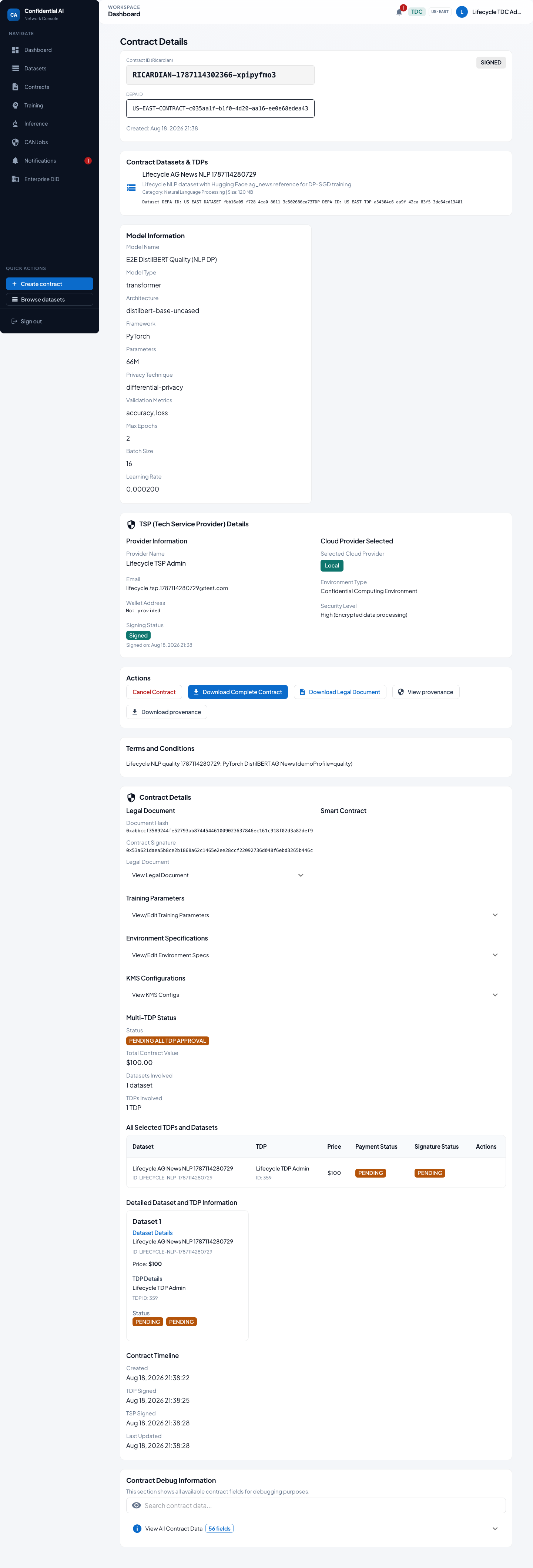
The Training Data Consumer proposes terms and chooses the Local Tech Service Provider. The Training Data Provider and Tech Service Provider review notifications and sign with the party signing keys created at registration. Training cannot start until the contract is fully signed.
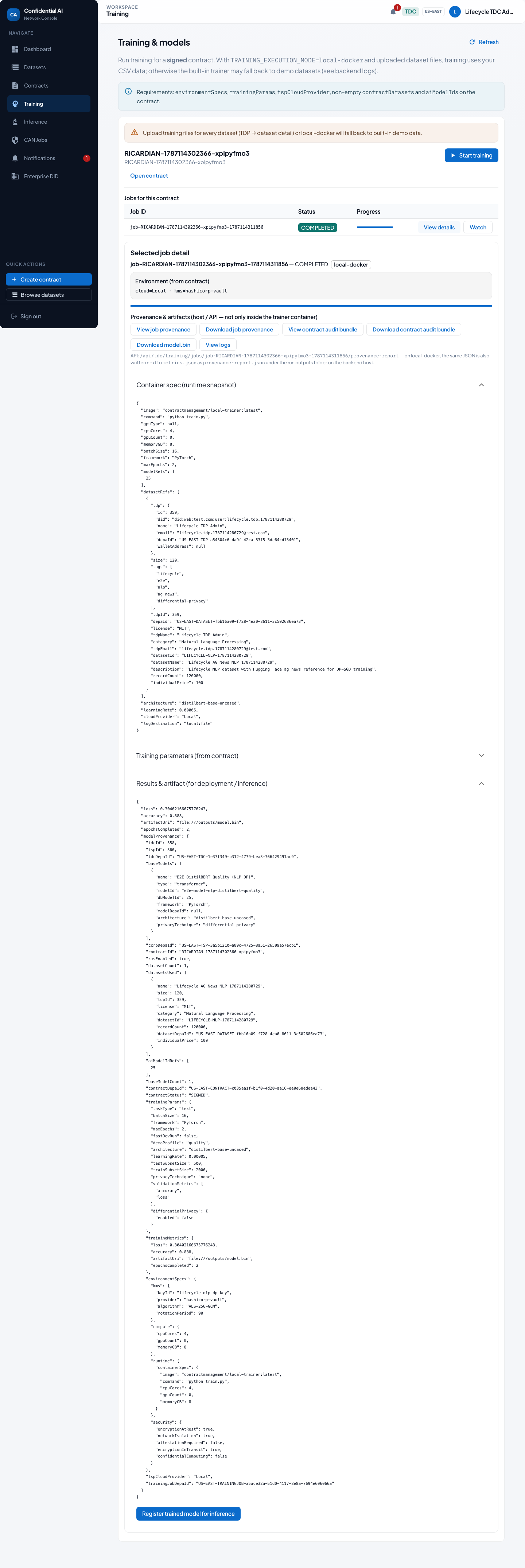
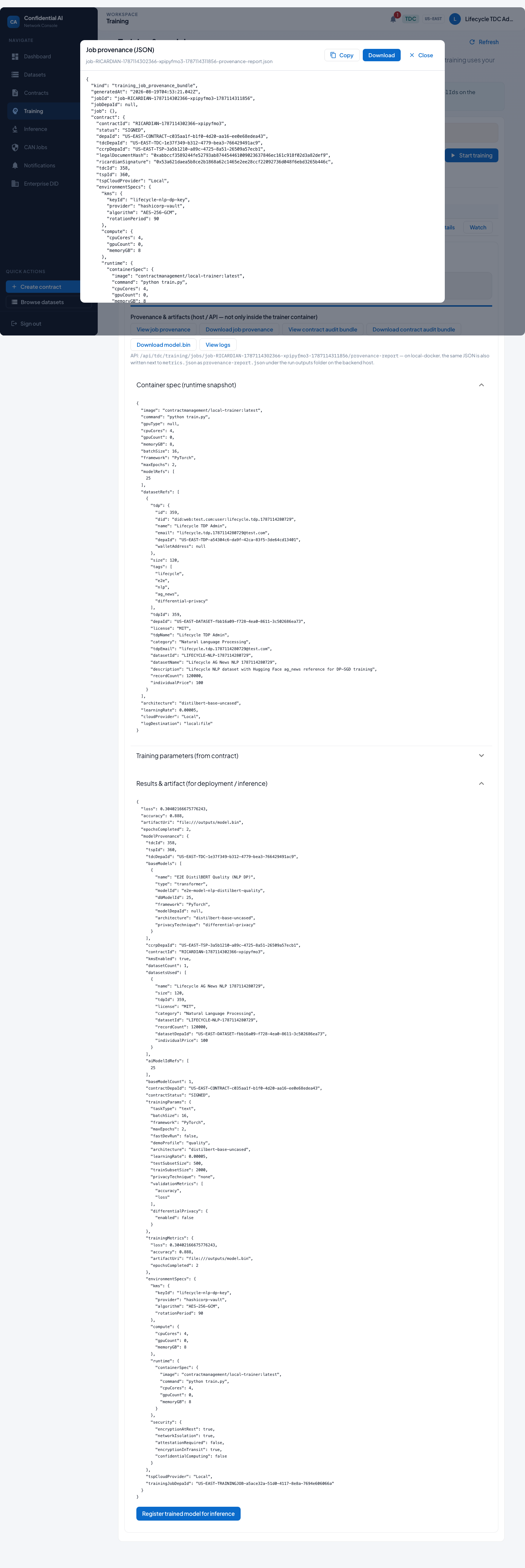
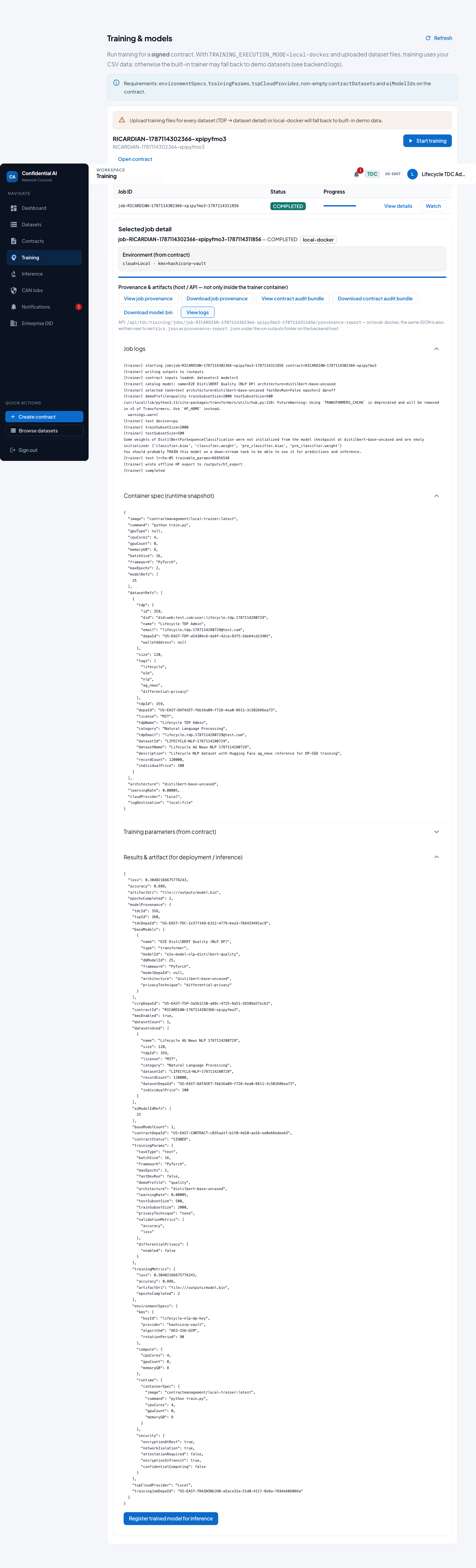
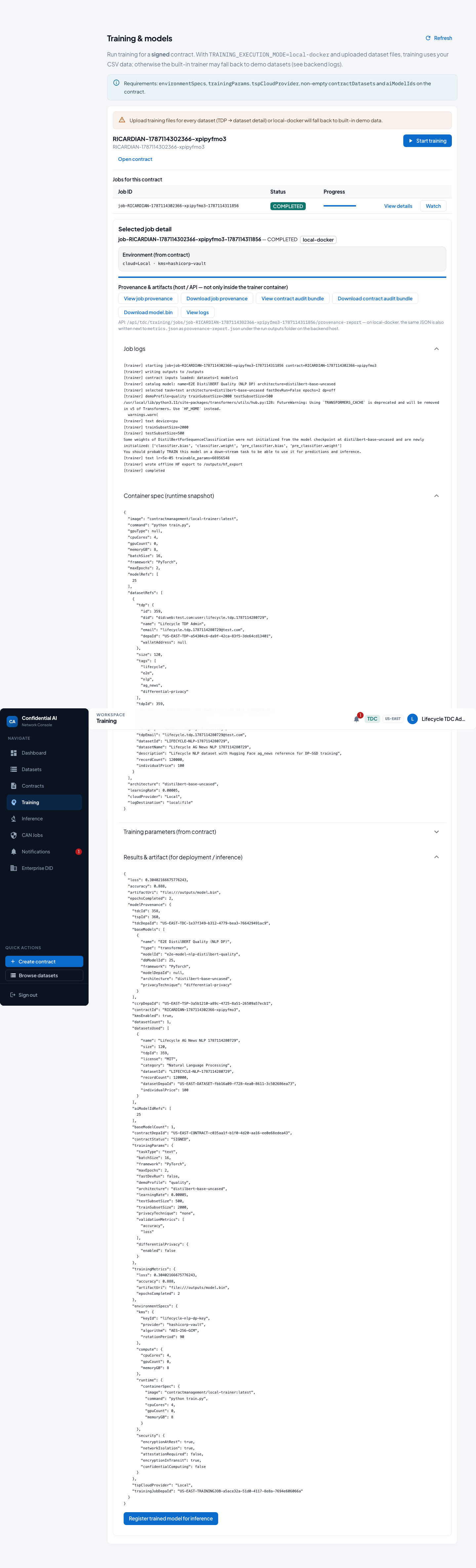
4. Training, run logs & provenance (Local)
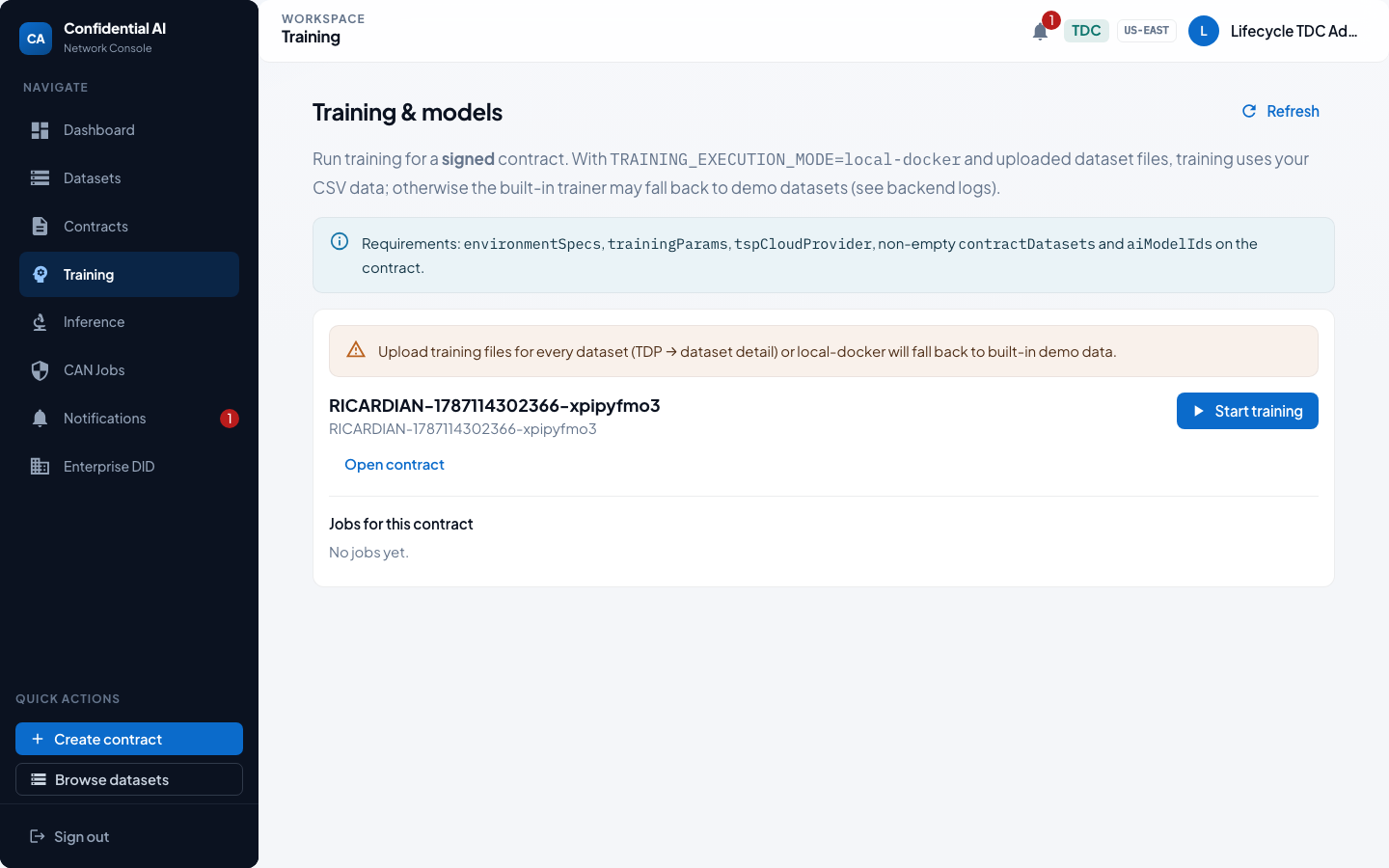
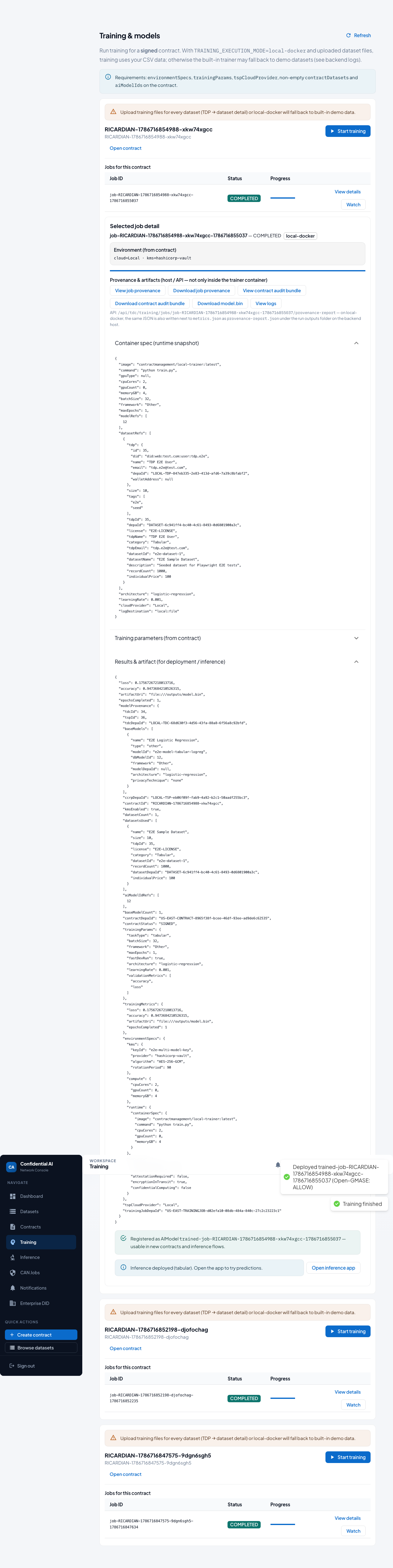
After signatures, the Training Data Consumer starts training, waits for completion, then opens the provenance report and trainer logs for auditability.
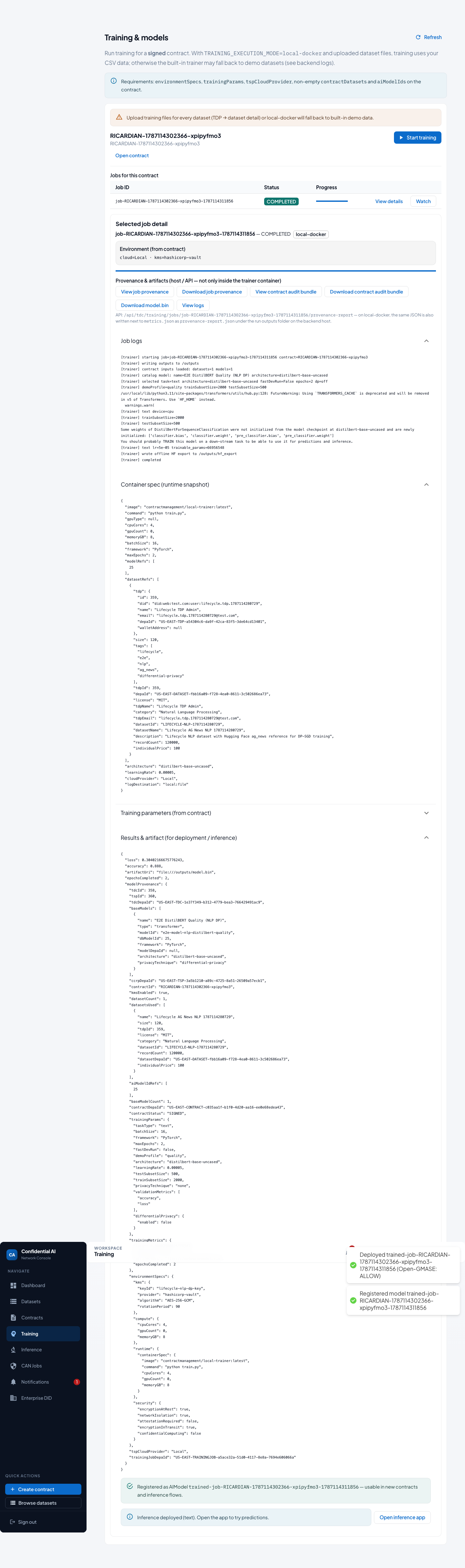
5. Deploy & test the model (Local)
This tour trains a quality DistilBERT text classifier on
AG News (World / Sports / Business / Sci/Tech) under a signed
Ricardian contract, then registers the artifact, deploys it for local inference,
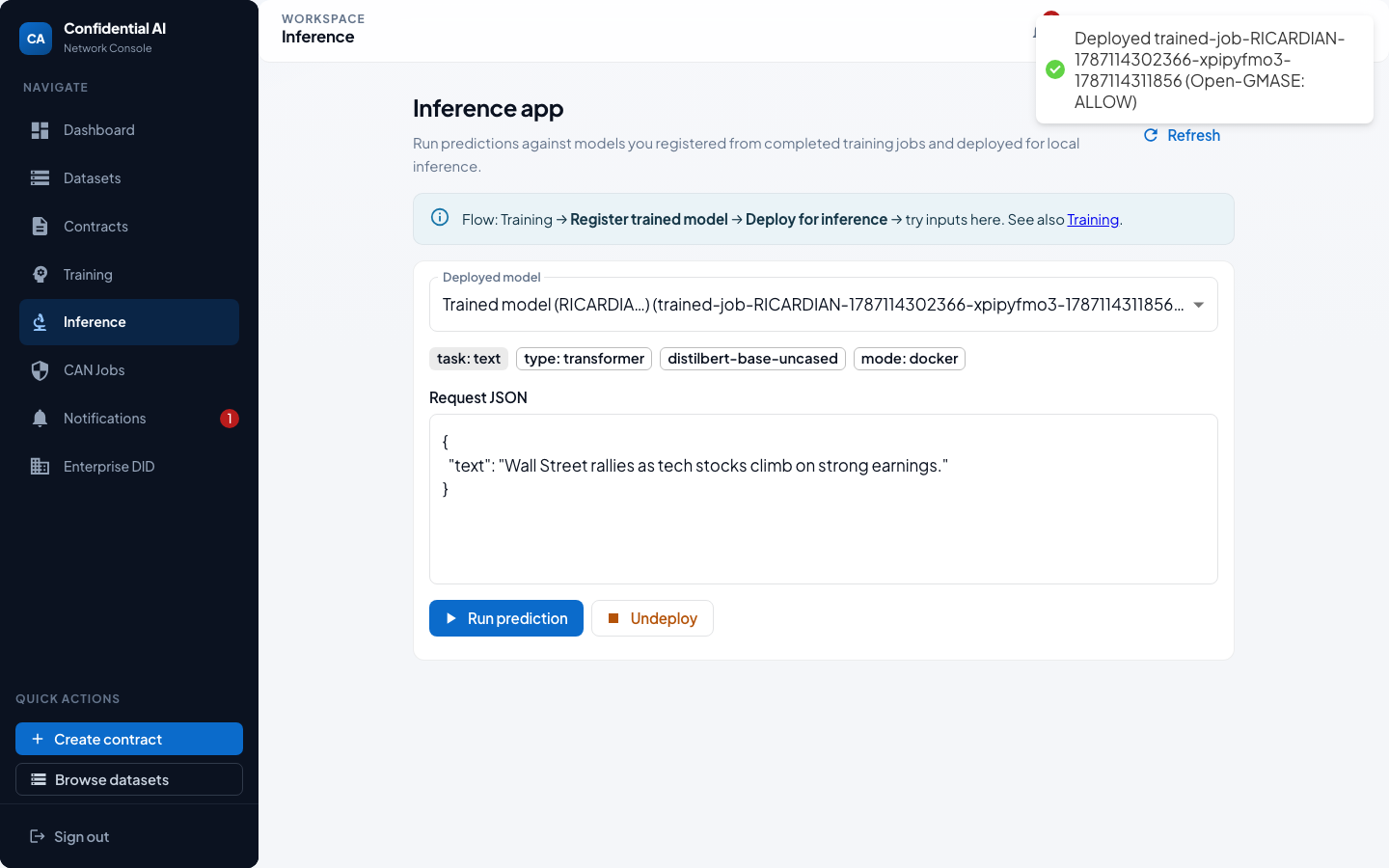
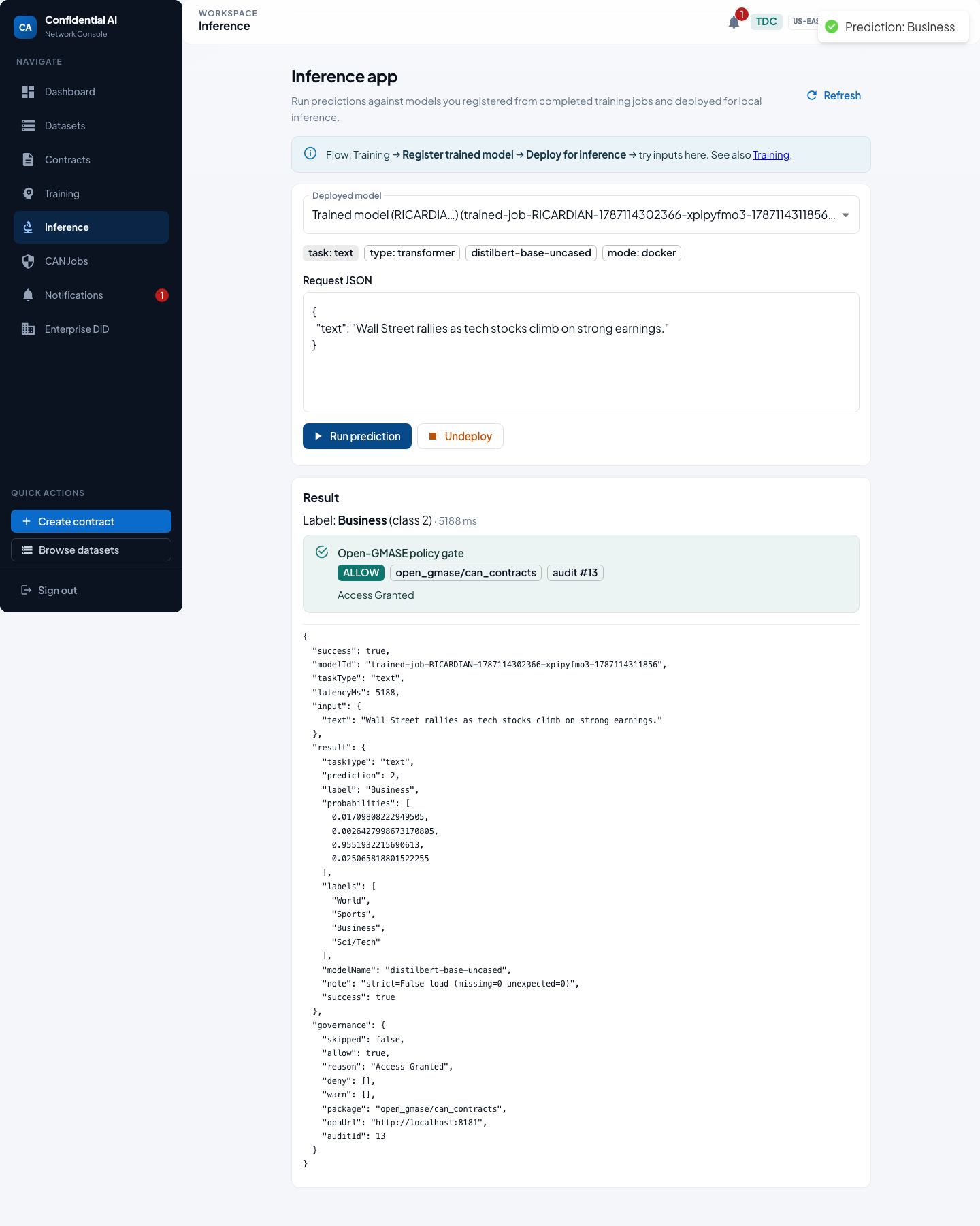
and runs a headline prediction. The default example
("Wall Street rallies…") predicts Business.
Register → deploy → open the Inference app → run prediction against
infer.py in the local trainer image.
6. Auditor — Merkle tree & contract review (Local)
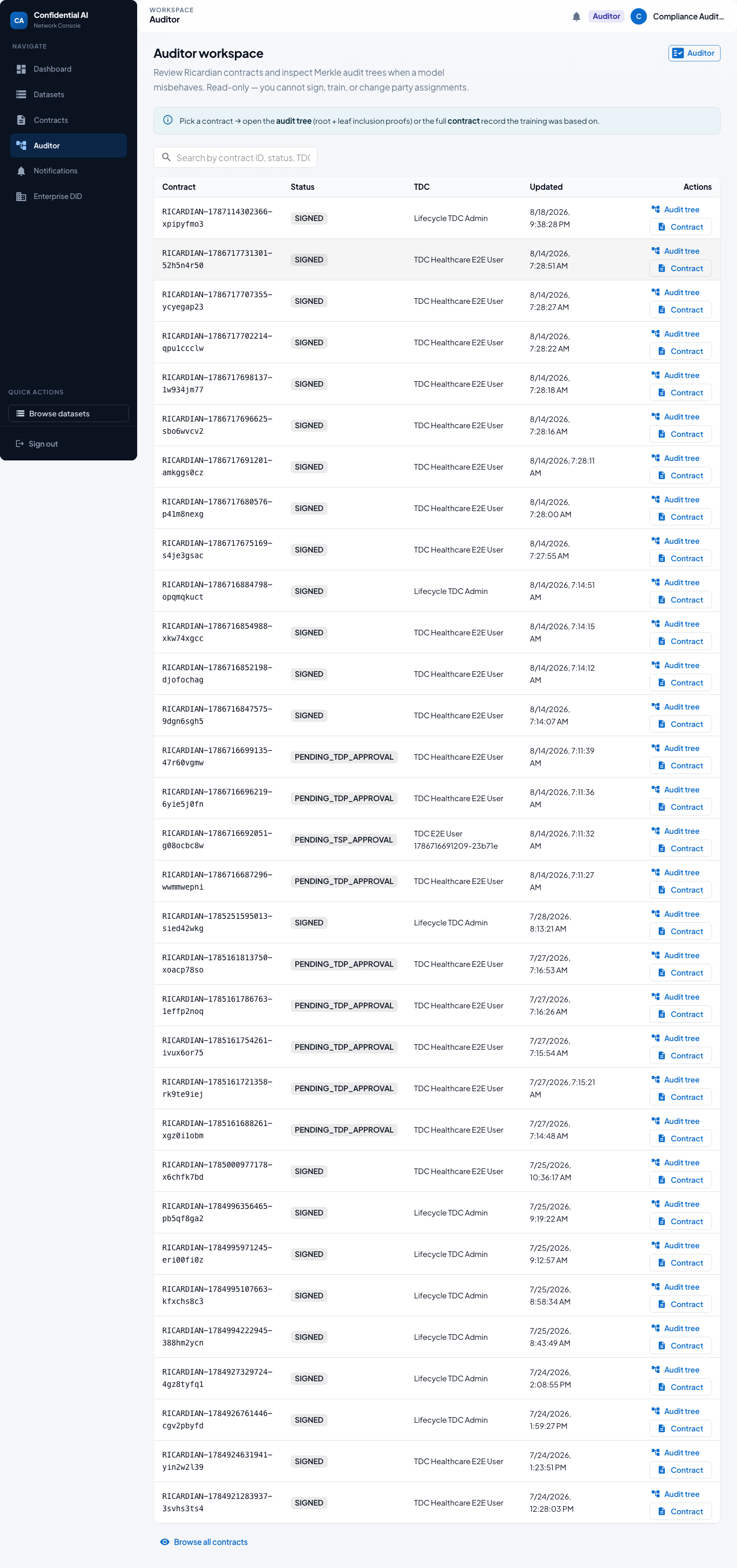
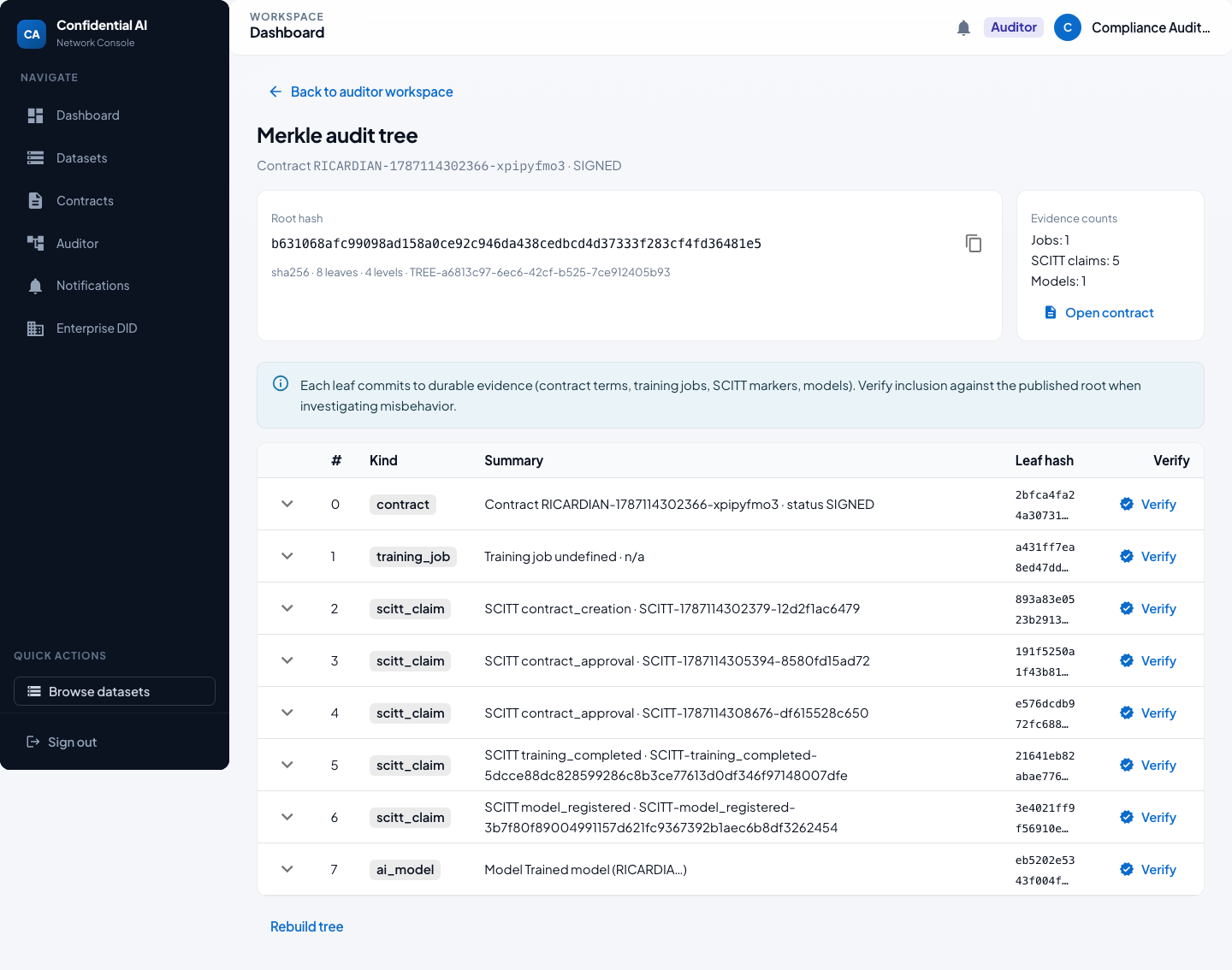
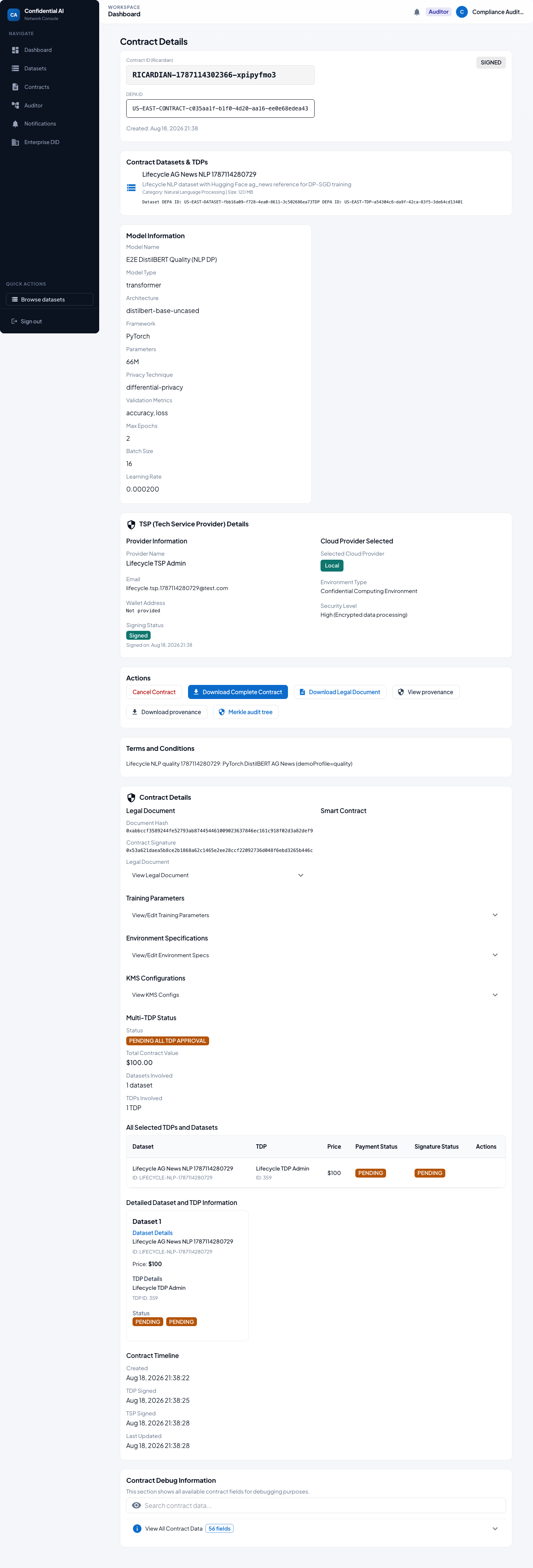
After training and inference, a read-only Auditor opens the workspace, inspects the Merkle audit tree (root + leaf inclusion proofs) for the contract that produced the model, and reviews the Ricardian contract terms the training was based on. No sign / train / deploy rights.
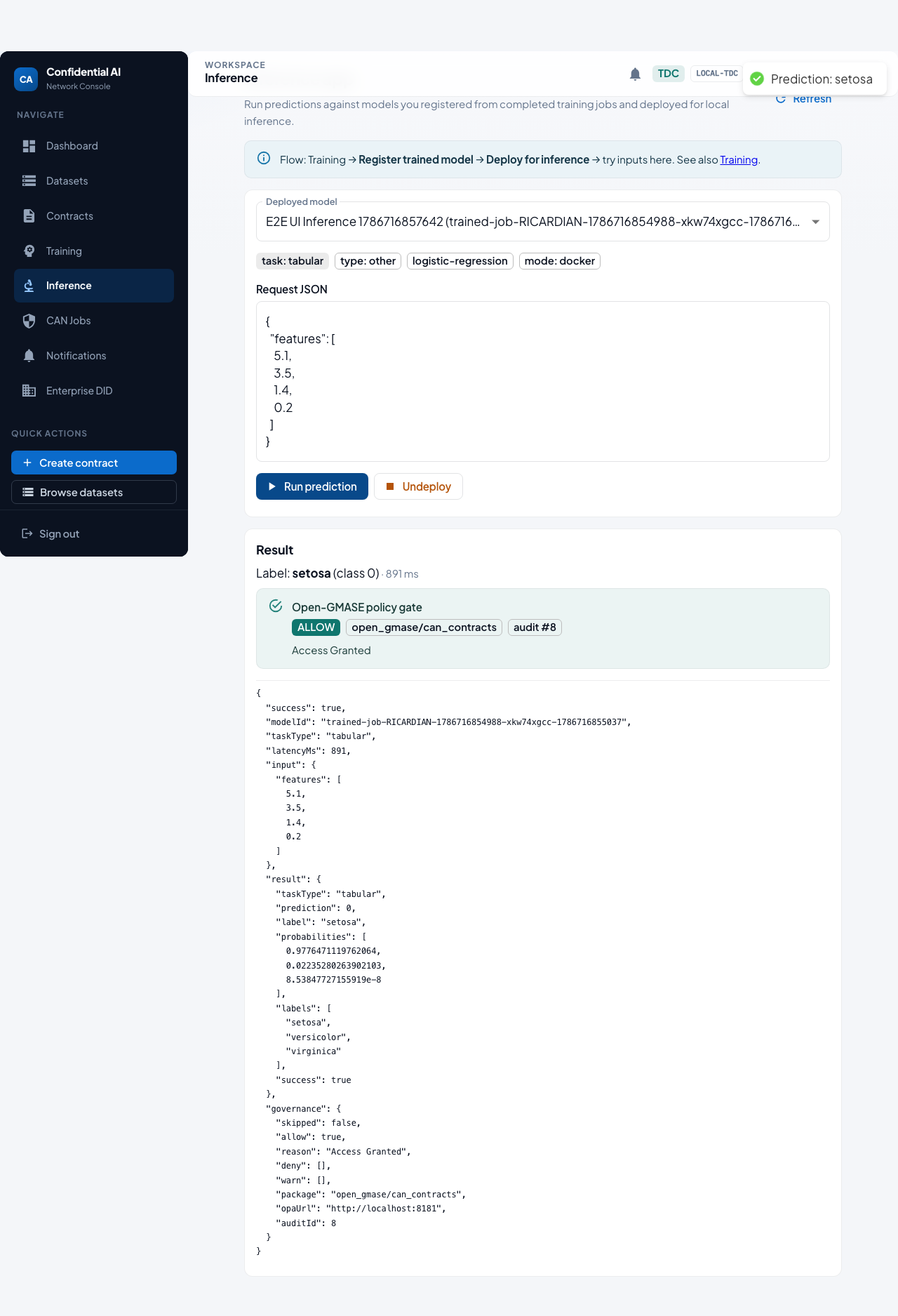
7. Open-GMASE gate + CompliancePulse ingest (research demo)
The gate screenshots below use a faster tabular logistic regression
model (Iris-style features → label setosa) so the seam is easy to
reproduce. A vision path (TinyCNN + CIFAR-10 sample image) is available
in the Inference app / API E2E. Before predict runs, CAN asks Open-GMASE OPA
(open_gmase/can_contracts). The Inference app shows ALLOW/DENY with
package and audit id. The same governance decision (not pixels or weights) is
forwarded by default to CompliancePulse
(POST /api/v1/audit/ingest on localhost:3001).
Details:
demo slice guide.
How these screenshots are produced
Local path (full stack — backend, frontend, Keycloak, trainer):
cd frontend
BACKEND_URL=http://127.0.0.1:5001 npm run test:e2e:lifecycle-guide
Auditor screenshots only (reuses an existing contract):
cd frontend
BACKEND_URL=http://127.0.0.1:5001 npm run test:e2e:auditor-guide
Open-GMASE gate screenshots:
cd frontend
E2E_WAIT_FOR_LOCAL_TRAINING=true BACKEND_URL=http://127.0.0.1:5001 npm run test:e2e:inference
Images live in
docs/guides/lifecycle-user-guide/screenshots/
and
docs/guides/gmase-integration/screenshots/,
and are copied into this site at Pages build time.